Practice with Freeman iOS/macOS
An iOS app to practice aiming your phone to scan Dexcom G7 code

Freeman was an octogenarian. He had type 1 diabetes, and he could not reliably aim his iPhone at the small code on a sensor applicator. The task is difficult to understand for him. The target is over there. The camera is on the far side of the phone. The picture is on the near side. And the hands have to move the phone in the direction that brings one into the other. Any link in that chain can break on its own.
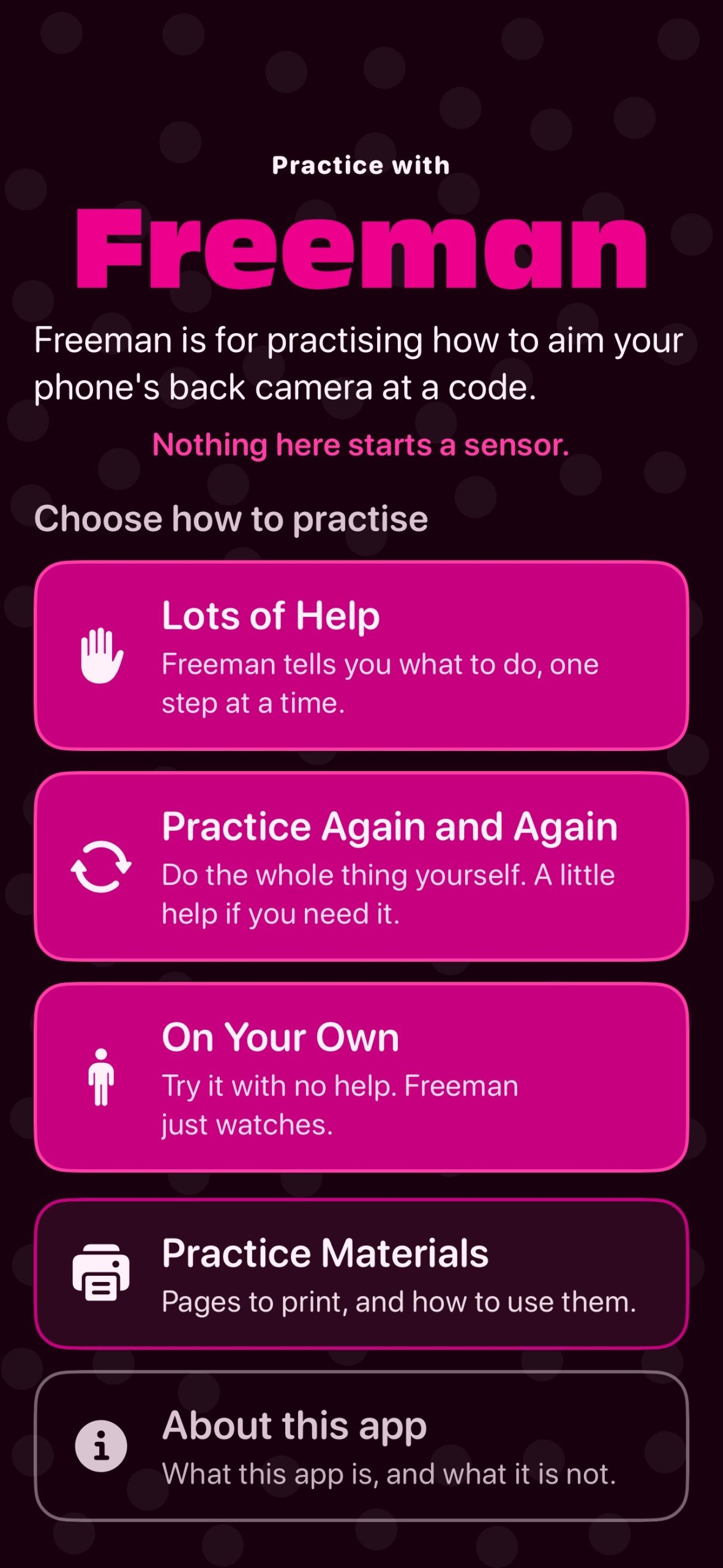
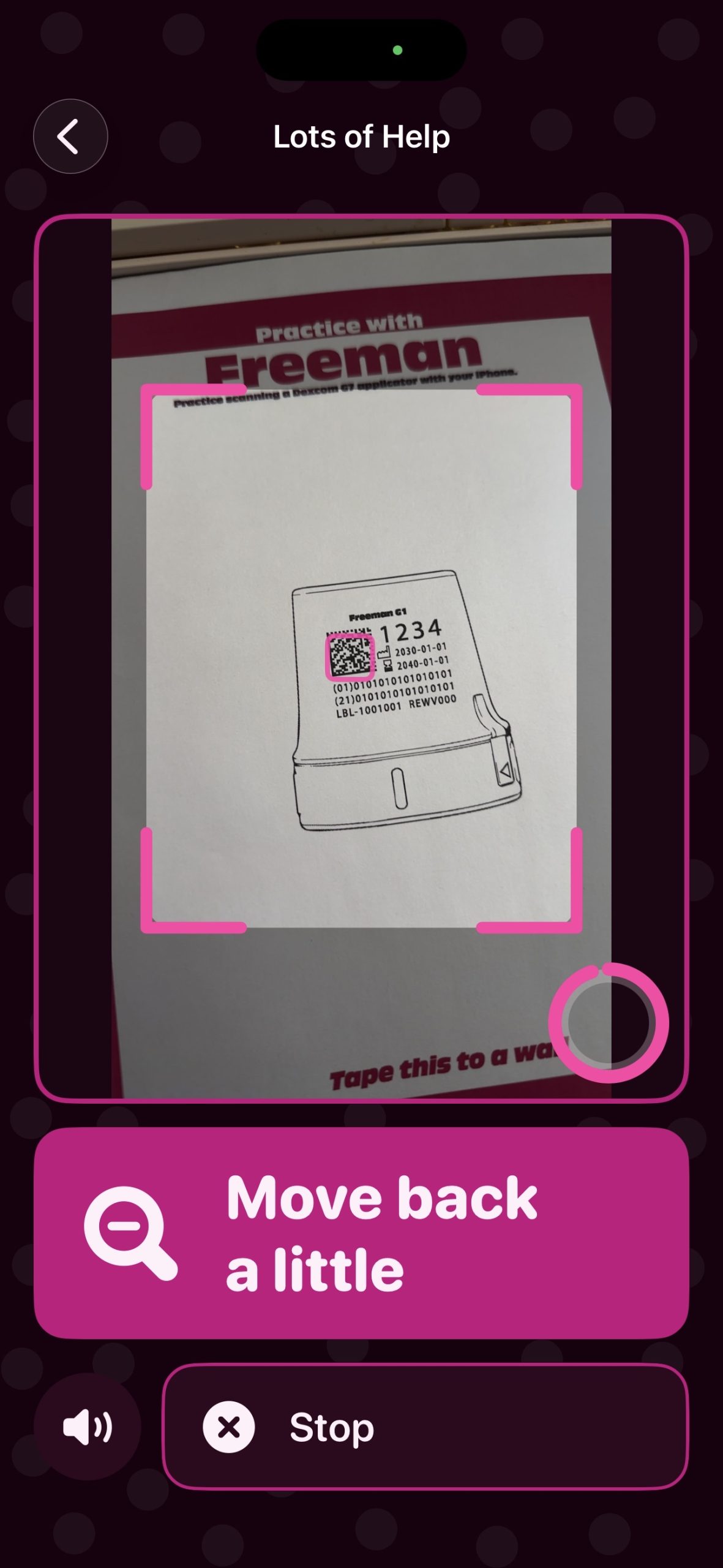
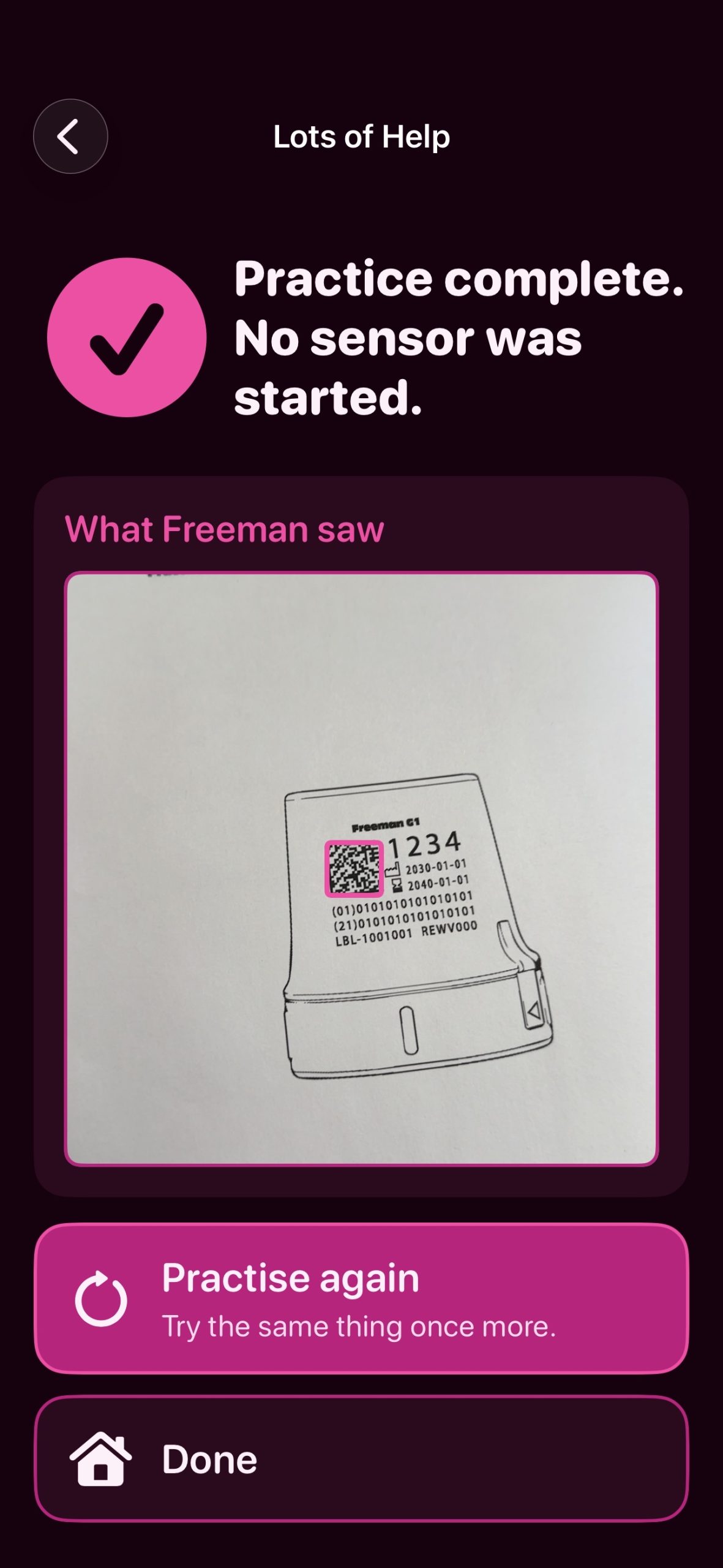
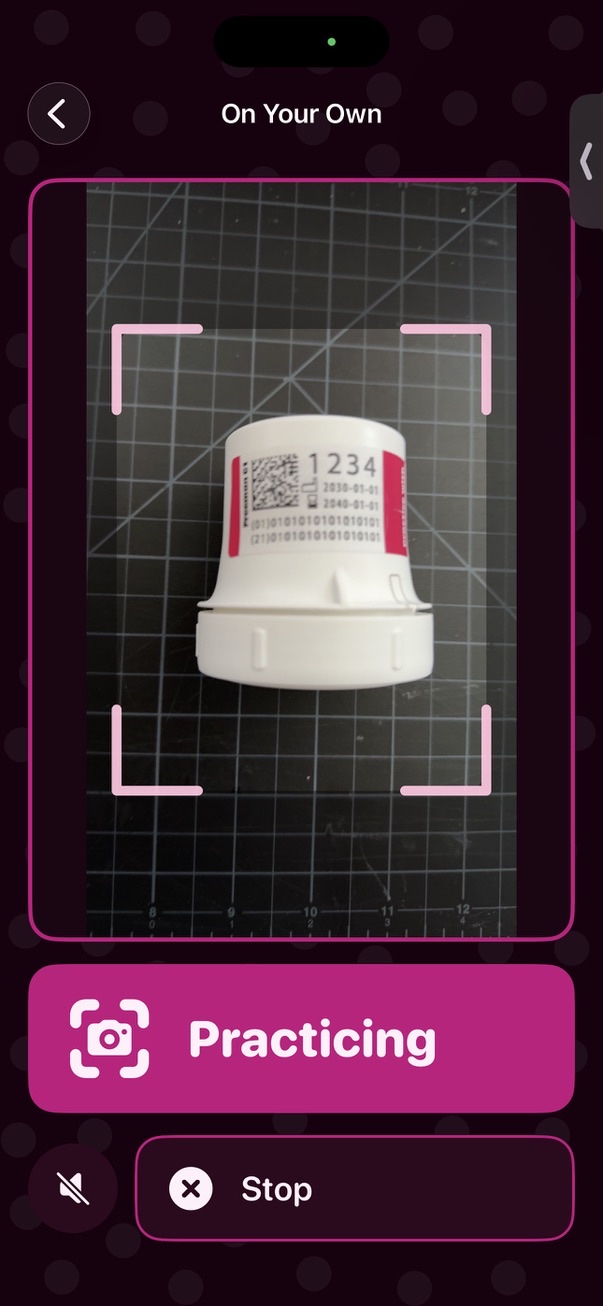
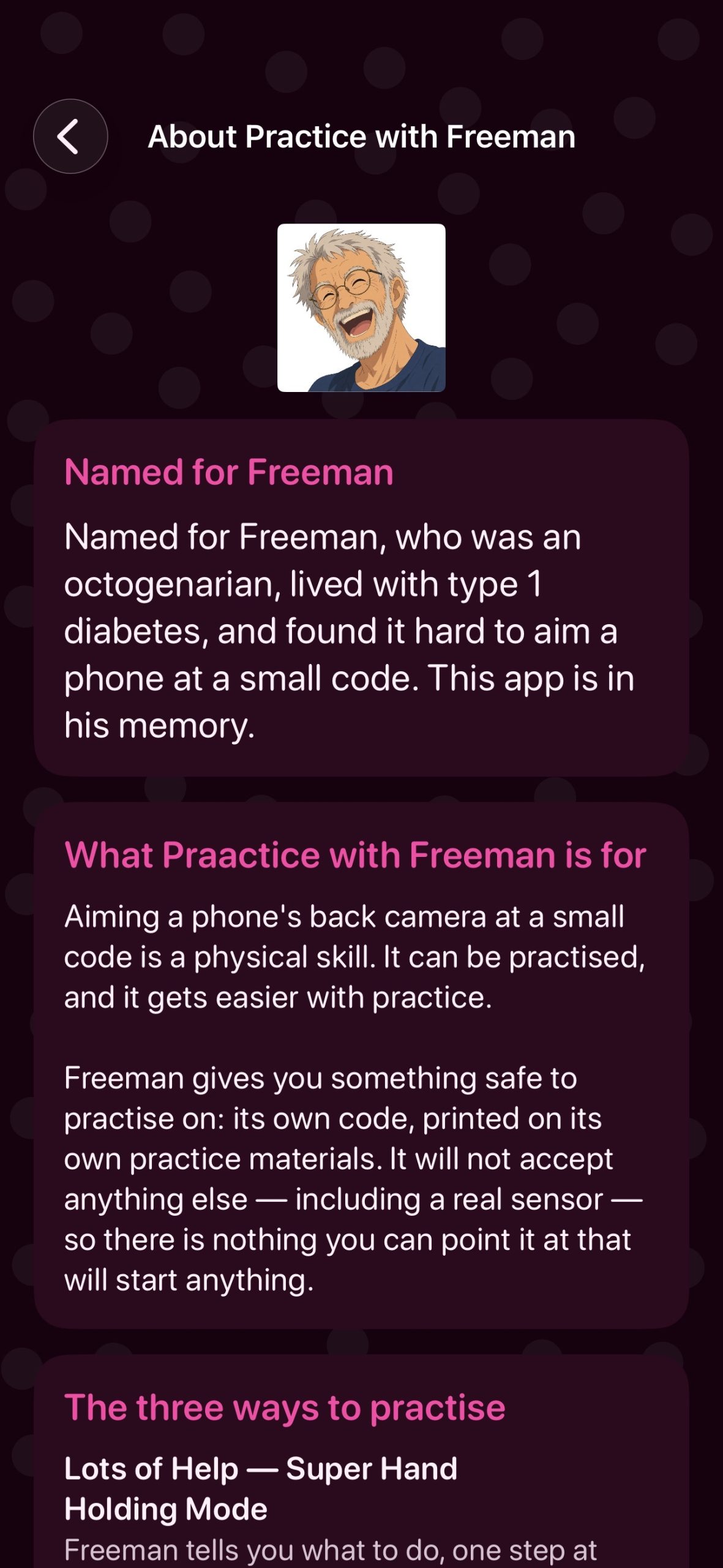
This app is named in his memory, and it does one thing: it practices that movement.
PRACTICE, NEVER THE REAL THING
Freeman has its own practice codes, and recognizes nothing else. Point it at a real sensor and nothing happens — the app is built so that it cannot succeed on anything but its own material. It does not start, activate, configure, control or communicate with any sensor, and it has no Bluetooth, no network connection and no health data of any kind. There is nothing here that can be set off by accident.
Every practice session begins with a reminder that this is practice, and ends with a sentence that says so again: “Practice complete. No sensor was started.”
THREE WAYS TO PRACTICE
• Lots of Help — every step spoken aloud, one at a time, starting from “turn the phone over”. This mode asks you to hold the aim steady for six seconds rather than just catch the code in passing, because keeping the phone pointed at something is the part that is actually hard. Drift off and you lose a little progress, not the whole attempt.
• Practice Again and Again — the full routine with the coaching stepped back, and a single tap to go round again.
• On Your Own — no positional coaching at all. It still keeps notes, but they are notes, not a score. Nothing is graded, nothing is saved.
BUILT FOR HANDS THAT SHAKE, AND EYES THAT TIRE
• Text starts large whatever your system setting is, and gets larger if you have already asked for that
• A big arrow beside every instruction, so direction is readable without reading
• Spoken guidance, slowed down, in your own language and accent where the voice exists
• One instruction at a time, held long enough to act on
• Buttons that light up and pause before they do anything, so you can see which one you pressed
• Very large tap targets, and a second tap while a button is confirming is ignored rather than queued
• Haptics for three moments only — found it, framing is good, finished — because a constantly buzzing phone is one more thing to fight
• The screen will not lock in the middle of an attempt
• Nothing anywhere tells you that you got it wrong
THREE THINGS TO PRINT
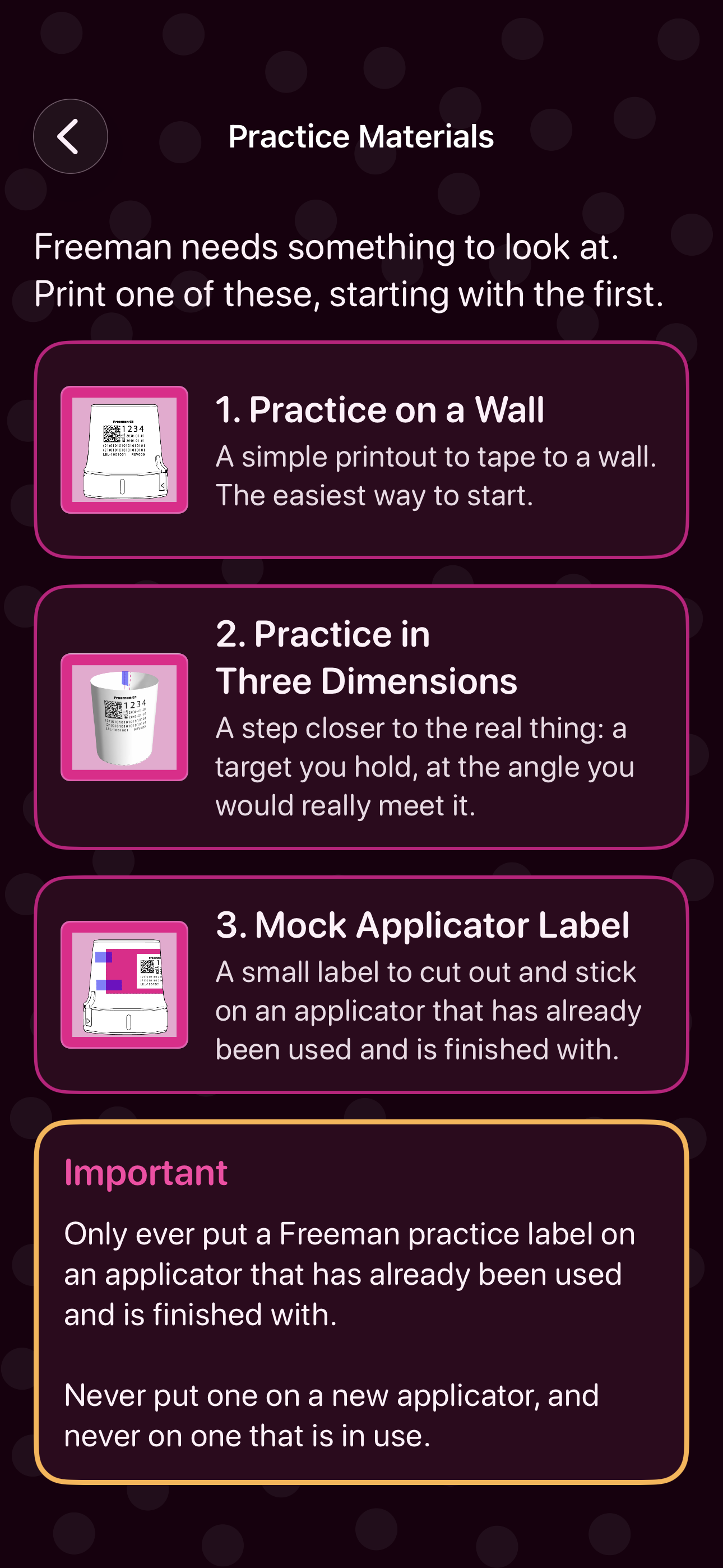
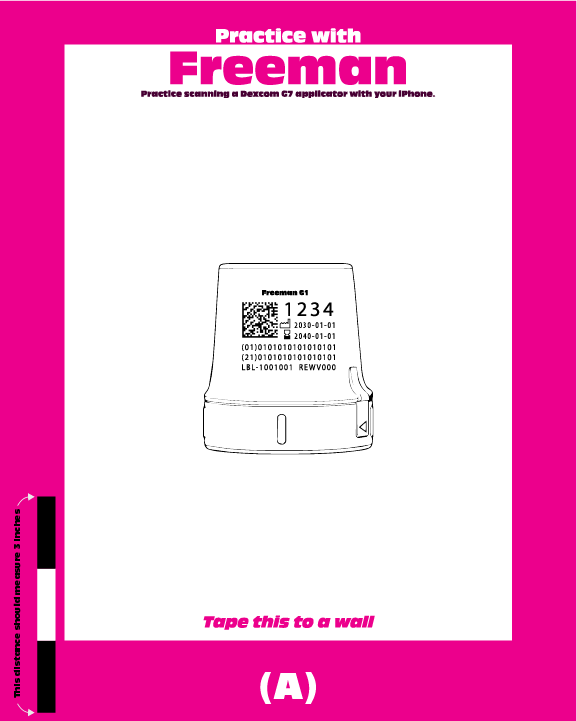
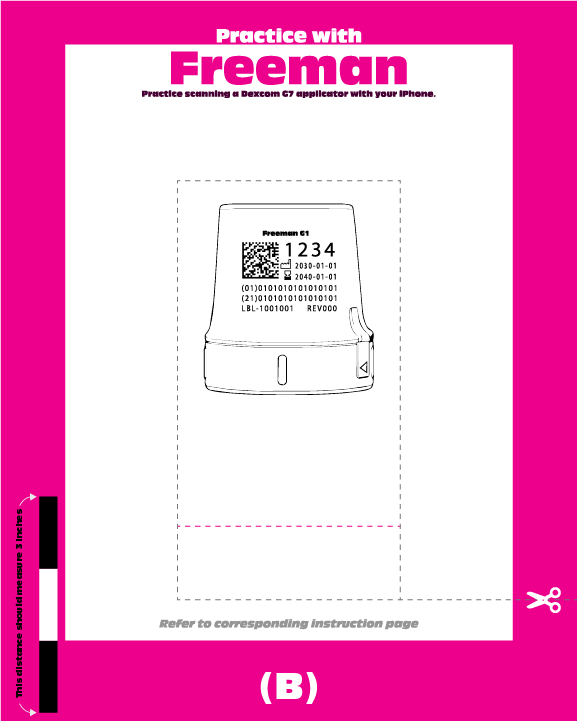
A sheet to tape to a wall, where the target holds still and aiming is the only variable. A target you hold, at the angle you would really meet one. And a cut-out practice label, clearly marked, for an applicator that has already been used and finished with. Print them, or send them to whoever is helping.
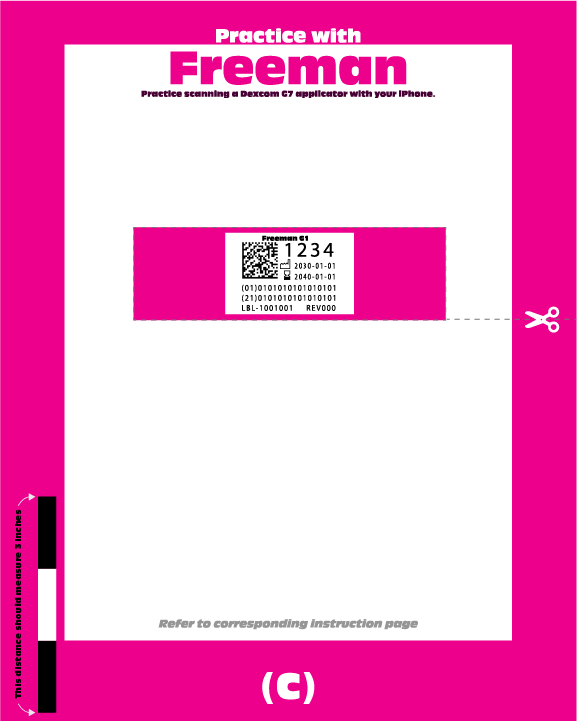
Instructions
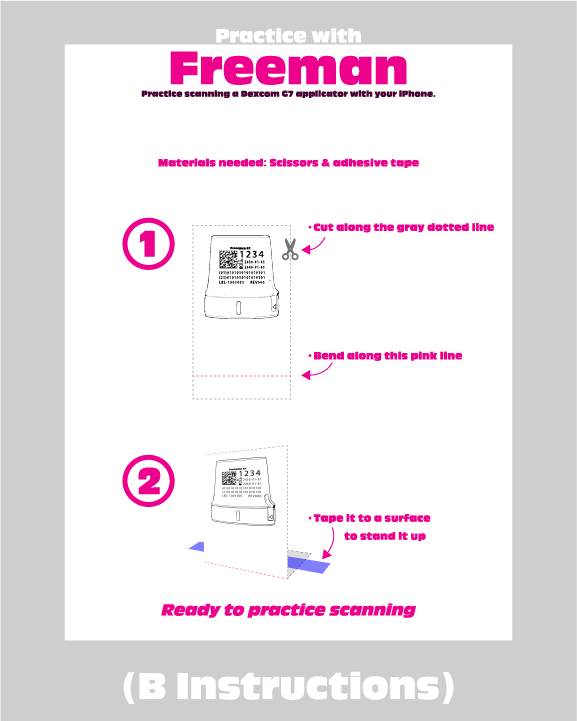
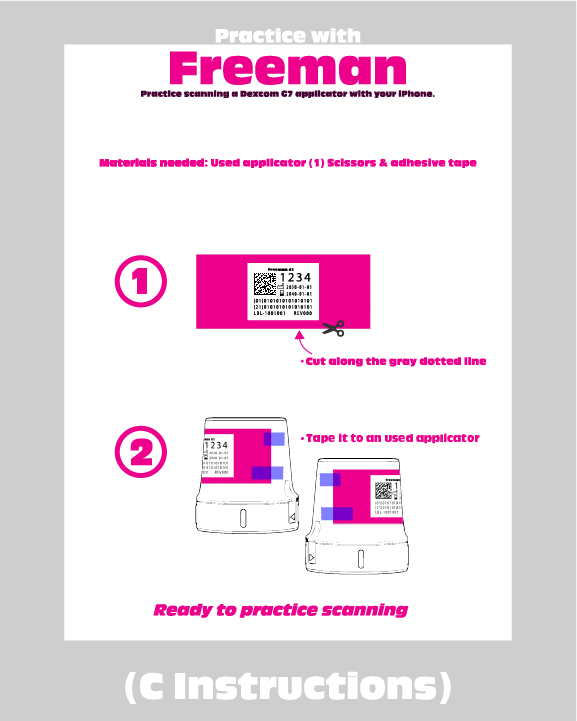
They are a ladder rather than a menu — start at the wall.
FOR THE PERSON HELPING
Freeman is often installed by somebody else: a partner, a daughter, a carer. It is free, it has no account, no sign-up, no advertising and no analytics. It stores nothing at all — no history, no results, no pictures. Close the app and there is no record that anyone practised, because a record of somebody’s declining dexterity is not a thing this app is willing to keep.
PLEASE READ
Practice with Freeman is an independent practice and training application. Freeman is not affiliated with, endorsed by, sponsored by, or associated with Dexcom, Inc. Freeman does not start, activate, configure, control, or communicate with a Dexcom G7 sensor.
Freeman is not a medical device. It teaches nothing about diabetes, sensors, or treatment, it gives no medical advice, and it does not assess whether anyone is able to use real equipment. Its measurements describe one practice attempt and nothing more.
iPhone only, held upright. Requires the back camera. Requires access to a printer.
Privacy Policy
Freeman does not collect, store, track, or transmit personal information or usage data. Because Freeman does not collect information about you, there is no personal data to sell, share, or use for advertising or marketing purposes.
yay!